Do UI Frameworks Still Matter When AI Writes the Code?
Do UI frameworks still matter when AI writes the code? More than before: contracts, design systems and AGENTS.md files keep generated UI consistent.
Yes, UI frameworks still matter when AI writes the code, and they matter more than they did before. An AI agent can build you a beautiful login screen in about thirty seconds. It can build you a second one just as fast, and a third, and unless you are careful each one will have a slightly different button, a slightly different way of handling a wrong password, a slightly different idea of what "disabled" looks like. Multiply that across a real product and you end up with a museum of near-duplicates where you expected a design system.
That museum is the whole argument of this post. One clarification before we start, because the words collide: this is about AI agents writing your application's frontend code, not about UI kits for building agent chatbots. Different topic entirely.
Early in my career I shipped a lot of frontends, fast, across web and mobile, and I learned the hard way that speed without structure just gets you to the mess sooner. Agentic tools have made that lesson sharper, because the speed is now almost free. Frameworks used to earn their keep mainly by helping developers write components faster. Now their bigger value is that they provide structure: they define how an application is organized, how data flows, how rendering works, how state is managed, how routes behave, and how the experience stays consistent. That structure counts for even more once agents are in the loop.
Why do frameworks matter more once AI generates your UI?
AI can generate a screen in seconds, but production software still needs architecture, accessibility, security, testing, performance, maintainability, design consistency, and clear ownership. A generated screen is only useful if it fits the system around it, and supplying that system is exactly what a framework is for.
AI can clearly generate UI. The better question is whether the generated UI can be trusted, maintained, tested, extended, and safely deployed inside a real product. A demo interface and a production application are very different animals. Real applications need role-based permissions, validation, localization, error handling, analytics, observability, API contracts, loading states, edge-case handling, and release control. They have to work across different users, devices, markets, products, and business scenarios.
AI can help with a lot of that, but it needs context and constraints, and a UI framework supplies part of that context. It gives the agent a model to follow, with patterns for components, routing, data loading, state management, forms, and testing. It gives the team a shared language. And it helps generated code slot into the existing application instead of becoming a separate one-off. Without that structure, you tend to get more code, but not necessarily better software.
The framework is a contract
A UI framework is a contract for how the application should be built, and different frameworks express that contract in different ways.
Angular leans on explicit structure through dependency injection, routing, forms, and services. Astro leans the other way, toward a content-first model that ships less JavaScript by default. React, Vue, Svelte, Solid, and Qwik each sit at different points between those poles, and meta-frameworks like Next.js, Nuxt, and SvelteKit add their own conventions for routing, rendering, and data loading.
Each one has different strengths, and each creates its own set of assumptions. Agents work far better when those assumptions are clear. Give an agent strong conventions, reusable components, type-safe APIs, tests, and current documentation, and it has a real chance of producing useful code. Let every part of the application follow its own pattern, and AI will still generate something, but the result is much harder to govern.
What makes a framework AI-friendly?
An AI-friendly framework is one an agent can understand, follow, and be corrected by: clear conventions, strong documentation, a predictable project structure, type safety, good error messages, migration support, testing guidance, design-system compatibility, and tooling that catches incorrect patterns before a human has to.
This doesn't replace the traditional criteria like performance, ecosystem, maintainability, learning curve, accessibility, and community support. It adds another dimension on top of them, and it deserves an honest note about training data: agents have simply seen far more React than anything else, so the most popular patterns get generated most fluently. That advantage is real, but it matters less than it sounds, because conventions, types, and current documentation do more for output quality than raw familiarity. I have no framework to sell you, so take this as a practitioner's checklist rather than a vendor's.
Framework-aware AI support is getting more visible, too. Angular has introduced AI-related documentation and MCP support through the Angular CLI.1 Svelte provides AI and MCP guidance to help agents work with current Svelte patterns.2 Next.js has added DevTools MCP support to give coding agents access to application context while they work.3 These are early signs of where the ecosystem is heading: frameworks will need to help AI tools understand them, alongside the developers they already serve.
Compilers and type systems: the safety net for AI-generated code
Many modern frameworks are moving more work into compilers, build tools, and static analysis, and that matters because compilers enforce patterns far more reliably than human memory ever will.
React Compiler automatically optimizes React applications in many cases.4 Svelte has always been compiler-first, and Svelte 5 continues in that direction. Vue's Vapor Mode work points toward more compiler-informed rendering in the parts of an application where that model fits.5 Qwik leans heavily on compile-time analysis to support resumability and cut unnecessary client-side work.
All of this is useful for AI-assisted development, because the agent generates the code and the surrounding tooling checks it. A type system catches an incorrect contract. A linter flags a bad pattern. A compiler rejects unsupported syntax. A test suite confirms the behavior. The most effective workflow puts checks where hope used to be. It looks like this:
- AI generates a draft.
- Framework tooling checks the structure.
- Types check the contracts.
- Tests check the behavior.
- Humans review the intent, trade-offs, and product fit.
That is a far more realistic model for production software, and it pairs naturally with the test-first workflow I described for Claude Code, where the tests carry your intent into the code.
How to keep AI-generated UI consistent with your design system
The way to keep AI-generated UI consistent is to make the design system the agent's default vocabulary: a shared set of approved components, stated rules about when to use them, and repository instructions that say so explicitly.
Without that, agents drift into building many slightly different versions of the same thing. One screen gets a different button style. Another handles validation its own way. Another introduces a new table pattern, or builds a custom modal when a perfectly good standard one already exists. Each individual screen looks fine on its own, and over time the product becomes quietly inconsistent. People have started calling the aesthetic version of this "AI slop" and the structural version "UI drift," and both names describe the same museum forming one exhibit at a time.
A good design system hands the agent a safer set of choices: use this button, this modal, this form pattern, this validation behavior, this table, this loading state, this accessibility pattern, this localization approach. That single move reduces variation and improves consistency more than almost anything else you can do. The framework provides the technical structure, the design system provides the experience structure, and the agent should work inside both.
Documentation closes the loop. Document where routes live, where business logic belongs, where API calls are made, how state is handled, how errors surface, and how components are tested. Lean on type safety, since types quietly document the contracts between the UI, the APIs, the components, and the business logic. The important user flows need integration and end-to-end coverage, not only unit tests. And treat generated code as a draft. It may be a strong draft, but it still needs review.
AGENTS.md examples for frontend teams
Agents work far better when the repository hands them written instructions, and this is the cheapest, highest-impact move on this whole page. Whether the file in your repo is called AGENTS.md, CLAUDE.md, or lives in your contributing guide, the content is what matters. For an Angular team, it could read like this:
This application uses Angular with standalone components, signals, typed forms, and modern Angular control flow. Use the shared design-system components from the internal UI library. Do not create new buttons, modals, tables, or form controls unless explicitly requested. All user-facing text must use the localization system. Add unit tests for new business logic. Run linting and tests before proposing changes.
A React and Next.js team could write:
This application uses Next.js with the App Router. Use server components by default and client components only where interactivity is required. Use the shared API client for data access. Do not call internal APIs directly from client components unless the existing feature already follows that pattern. Use the design-system components from packages/ui. Do not introduce new state management libraries without approval. Add tests for important behavior.
A SvelteKit team could write:
This application uses Svelte 5 with runes and SvelteKit server routes. Use modern runes syntax for new code. Do not use deprecated Svelte 4 patterns in new components. Use the shared component library and existing validation utilities. Keep client-side JavaScript minimal where possible. Add tests for validation, loading, and error states.
These instructions are simple, but they help agents produce code that fits the repository, and they make code review easier because the expected patterns are already written down. Keep the file current, because agents produce outdated patterns when the guidance is stale.
Where this plays out in real systems
AI-generated UI in an enterprise portal
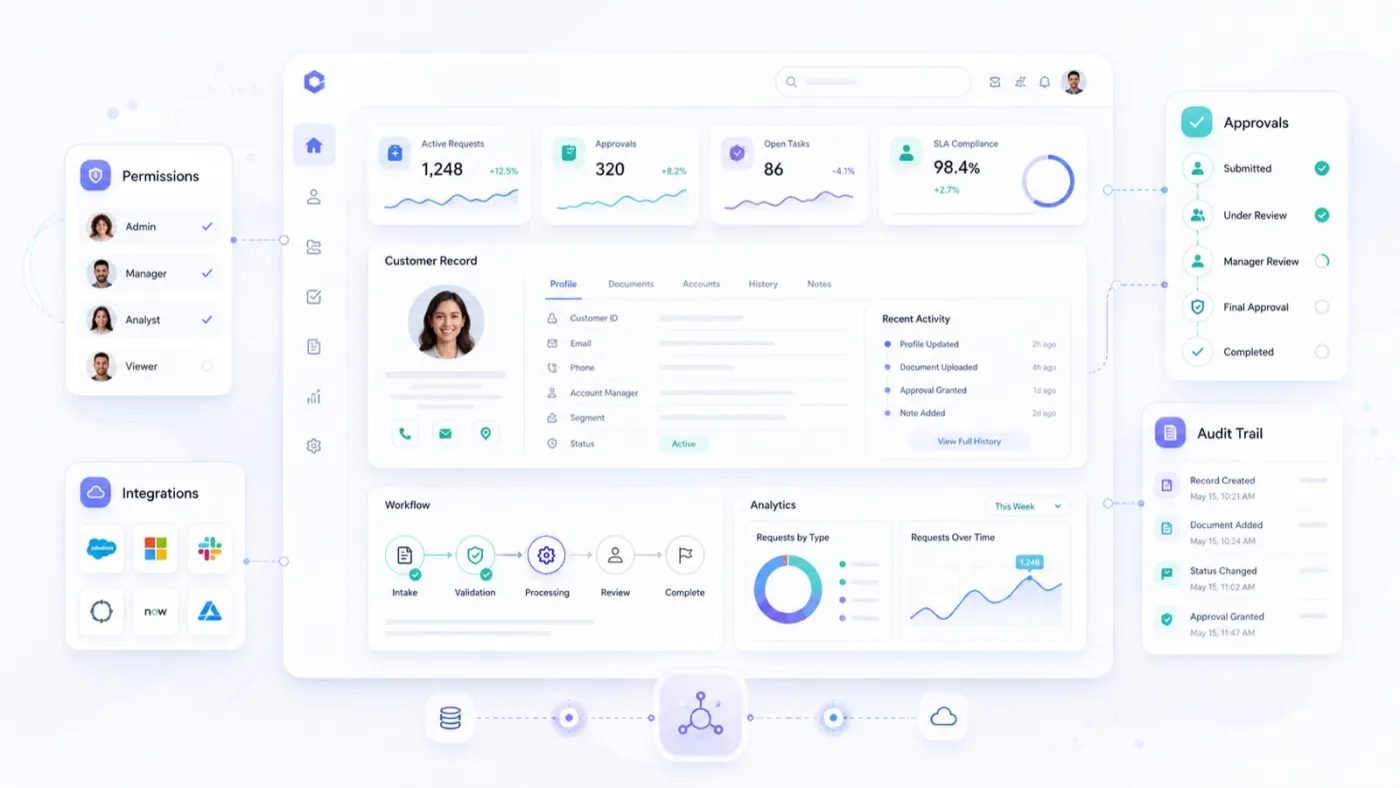
I have spent years around systems like this, so let me use one. Picture an enterprise operations portal used across different regions: customer records, documents, approvals, tasks, comments, status history, reporting, different user roles, regional rules, audit requirements, and integrations with several backend systems.
An agent can generate a customer details screen for it, and that's genuinely useful, but it's only the beginning. The screen still has to answer the questions that make it production software rather than a mockup: which components come from the design system, which fields are visible for each role, which actions require approval, which API provides each part of the data, how errors are shown, how audit events are captured, and how the screen behaves across languages and markets. The framework doesn't solve the business problem, but it gives both developers and agents a structure to work within, and in a system with real audit and permission requirements, that structure is not optional.
An e-commerce checkout

A checkout flow looks simple from the outside: cart, shipping address, payment, confirmation. In practice it carries inventory checks, payment authorization, fraud rules, discount codes, tax calculation, delivery options, address validation, guest and account checkout, accessibility, localization, analytics, legal consent, and failed-payment recovery.
AI can help generate the forms, layouts, validation messages, tests, and user flows. But the team still has to set the rules that keep it safe: use the approved input components and the shared validation schema, never store sensitive payment details in client state, support keyboard navigation, localize every user-facing message, and show clear recovery paths when something fails. Miss any one of those on a checkout, and the cost is measured in lost orders, not lint warnings.
Internal admin tools
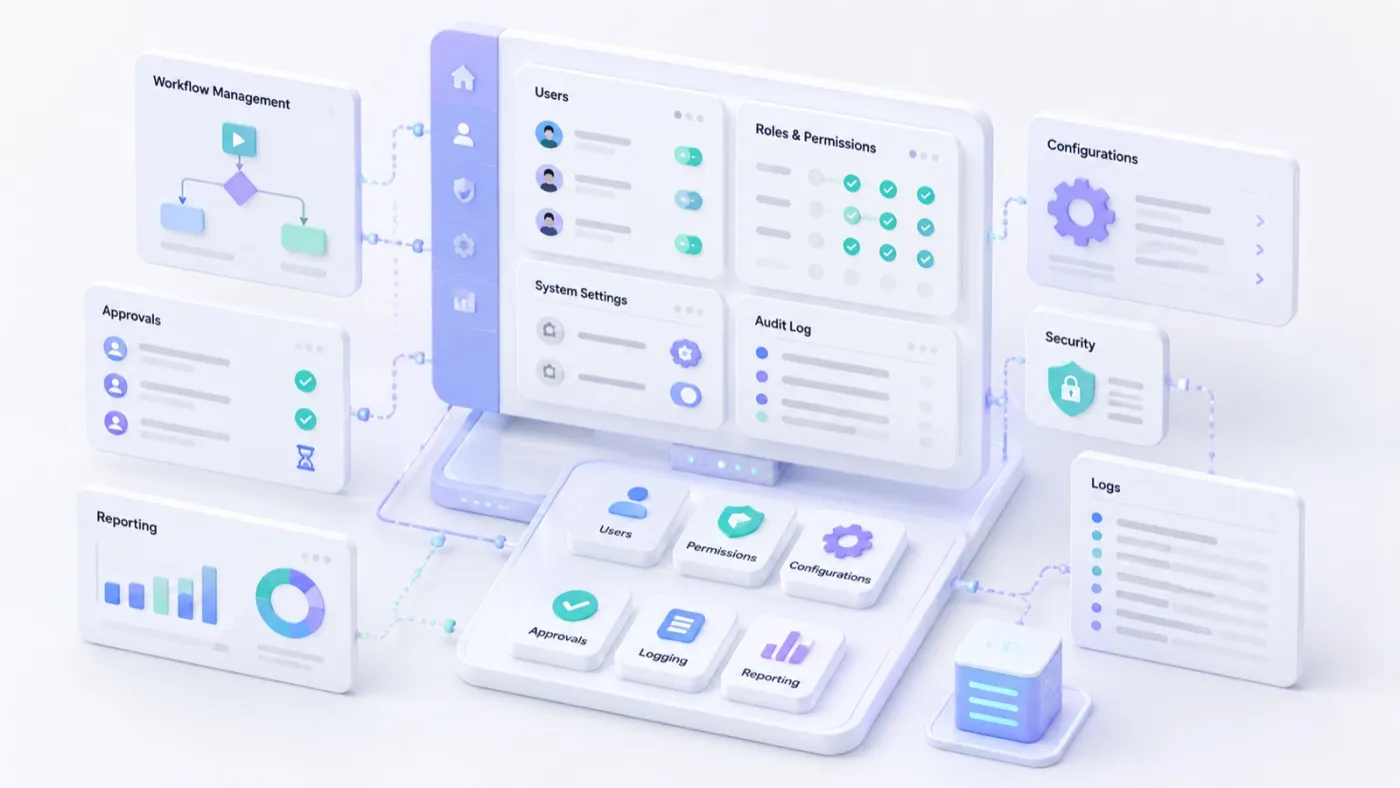
Internal tools are one of the strongest use cases for agentic AI, because so many of them are built from the same repetitive pieces: tables, filters, forms, detail pages, status indicators, and export actions. AI speeds this up a lot.
But internal doesn't mean low risk. An internal tool might update business rules, expose sensitive data, approve financial decisions, trigger customer communication, or change operational workflows. The same engineering standards still apply: the standard authentication model, approved components, shared API clients, logging, audit behavior, permission checks, and testing patterns. If every AI-generated internal tool brings its own architecture, the short-term speed turns into long-term maintenance cost. The goal is to make fast delivery sustainable.
Framework choice still matters
AI doesn't make framework choice irrelevant, because different frameworks still encode different assumptions.
Angular earns its place in large enterprise applications, where structure, forms, dependency injection, testing, and long-term maintainability carry real weight. React wins on ecosystem depth, flexibility, and the sheer number of people who already know it, and with Next.js or React Router framework mode it stretches to a full application architecture. Vue is the approachable one, easy to adopt a piece at a time, and Nuxt turns it into a serious server-rendered and full-stack option. Svelte appeals when you want compiler-driven simplicity and very little runtime overhead. Solid is built around fine-grained reactivity and raw speed. Qwik chases startup performance and resumability. And Astro is the natural home for content-heavy sites, anywhere shipping minimal JavaScript is the whole point.
There's no universal answer, and in the age of agentic AI, governance moves to the front of the decision. The best framework for a team is the one it can use consistently and maintain over time, whatever the benchmarks say. A useful choice should be able to answer a handful of honest questions: can the team define standards around it, can developers onboard quickly, can reusable components be maintained, can accessibility be enforced and important flows tested, can agents be guided to follow the correct patterns, can dependencies be managed responsibly, and can the application evolve without constant rewrites? A technically excellent framework can still be a poor organizational choice if the team can't govern it, and that matters more the moment agents start writing real volumes of code.
The frontend engineer's role changes
The frontend engineer's role moves from typing components to owning architecture, review, and product fit. Agentic AI will take over some of the manual frontend work: writing repetitive components from scratch, building standard forms by hand, and translating an obvious layout into code all matter less once an agent does the typing, and hunting for a syntax detail matters less still.
But frontend engineering doesn't become less important, because the questions that matter get bigger: does this UI fit the way people actually use the product, does it use the right data model, does it scale across markets and business rules, can another team maintain it later? AI can assist with the implementation, but engineers still own those decisions, and they own them more visibly than before, because the review is now the moment where quality is actually decided. I've written about that skill on its own, in AI fluency and the 4D framework, where judging what comes back is called discernment.
Frequently asked questions
Will AI replace frontend frameworks?
No. AI changes what teams need from frameworks rather than removing the need. Generated code still has to run inside an architecture, follow conventions, pass tests, and stay maintainable, and frameworks are where those rules live. Expect frameworks to compete on how well both humans and AI tools can understand them: strong conventions, clear documentation, reliable tooling, and design-system compatibility.
Which framework does AI generate best?
Agents are most fluent in whatever they have seen most, which today means React above all. But fluency in generation is not the same as quality in production: an agent working inside a well-documented Angular or SvelteKit repository with strict types, a component library, and written instructions will produce better software than one improvising in an unstructured React app. Pick the framework your team can govern, then make it legible to the agent.
What is AI slop UI?
"AI slop" is the informal name for generated interfaces that look plausible but drift from the product's design system: near-duplicate components, inconsistent validation, one-off modals and tables. At its root it is a context failure, and the cure is a design system as the agent's default vocabulary, repository instructions that say so, and tooling that rejects off-pattern code.
Where frameworks go from here
AI will change what teams need from UI frameworks, and the need itself is here to stay. A content-heavy website doesn't need the same architecture as a global enterprise platform. A startup dashboard doesn't need the same governance model as an internal operations system with audit requirements. A marketing site, a checkout flow, an admin tool, and a complex workflow platform all pull in different directions. The future is better alignment between the product, the framework, the team, and the AI-assisted development process.
When code generation gets faster, teams need stronger standards around what gets generated, how it's reviewed, how it's tested, and how it fits the wider system. The teams that get the most out of agentic AI will use it inside clear architectural boundaries, and combine frameworks, design systems, tests, documentation, and human review into one workflow.
AI can hand you the first version in thirty seconds. The framework is what keeps the fiftieth version from becoming a museum. That's why UI frameworks still matter, and why I think they matter more now than they did before any of this started.
Footnotes
-
Angular, "Angular CLI MCP Server setup". The Angular CLI ships a Model Context Protocol server that lets AI assistants query live documentation, list workspace projects, and find current code examples. ↩
-
Svelte, "Svelte AI Docs: Overview". The official Svelte MCP server provides documentation and static analysis of generated code to agents. ↩
-
Next.js, "Enabling Next.js MCP Server for Coding Agents". Next.js 16 and above expose a built-in MCP endpoint that
next-devtools-mcpconnects to, giving agents errors, routes, and page metadata from the running dev server. ↩ -
React, "React Compiler: Introduction". "React Compiler is a new build-time tool that automatically optimizes your React app." ↩
-
Vue, "v3.6.0-rc.1" release notes. "Vapor Mode is a new compilation mode for Vue Single-File Components (SFCs) with the goal of reducing baseline bundle size and improving performance." ↩

